If you don’t like the chat, search, widgets, and task view icons on the taskbar, then I’ll show you.


Yes, I don’t like them either. So now I’ll show you. First, go into “Settings” app.

And press personalization.
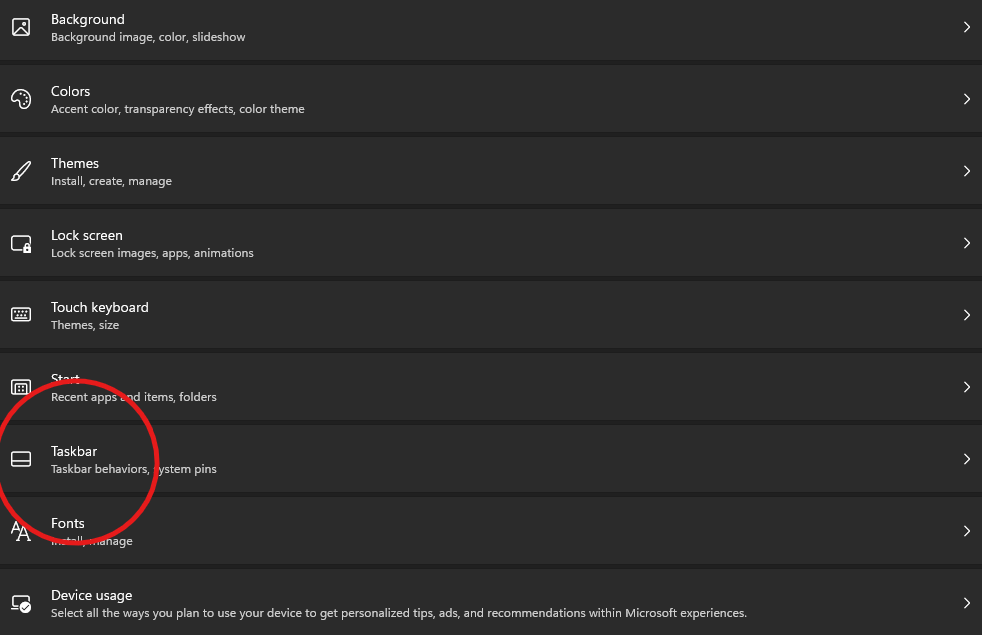
Now press taskbar.
You should see this:
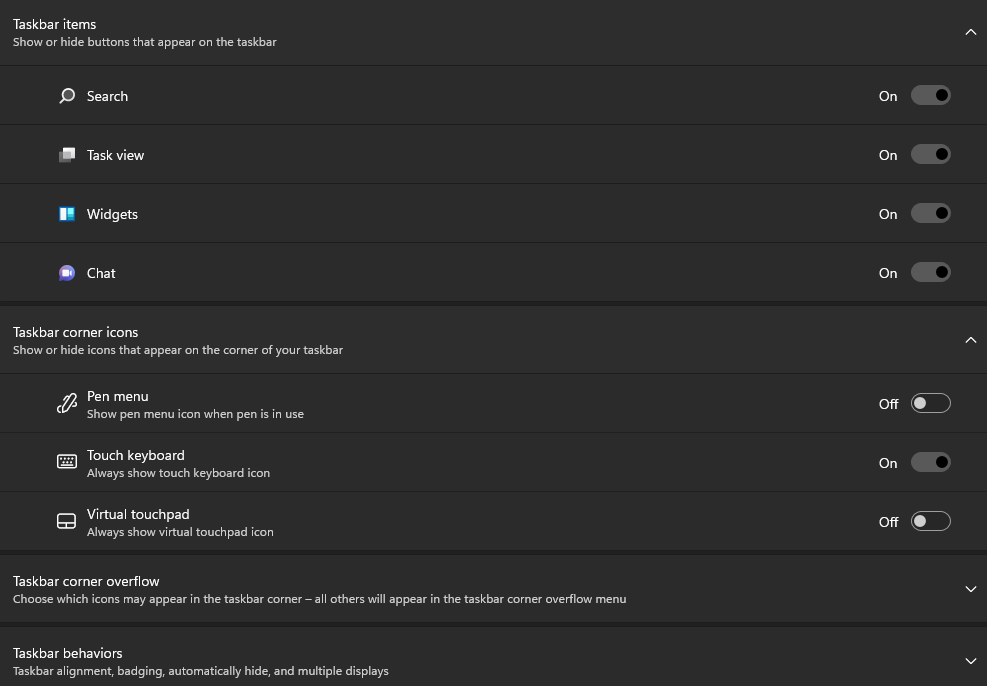
Now you can turn off and on the “Search” “Task View” “Widgets” and “Chat”. Once you turn it off, you should notice it disappear from your taskbar.